
A Morocco loop: Marrakech, the Atlas, the Sahara, Fes and Chefchaouen
Medinas where GPS drifts, a mountain pass, a desert camp and a blue town in the Rif. One country and one plan, with a few days that reward working offline.
For a loop from Marrakech over the Atlas to the Sahara and north to Fes and Chefchaouen, one Morocco eSIM covers the trip. Morocco is outside the EU and usually not on Europe plans, so buy for it by name. Cities are well served; the mountain pass and desert camps can be patchy, and medina alleys confuse GPS, so save riad locations offline.
Is Morocco a one-plan trip?
Yes, as long as you stay in Morocco. Every stop on the classic loop is in one country, so one Morocco plan covers it. The only buying mistake to avoid is assuming a Europe plan works: Morocco is outside the EU and is usually not on Europe lists. When we checked on 7 November 2026, TripoSIM's Africa regional list named Morocco and its Europe list did not. If you arrive from Spain by ferry, see our Spain to Morocco plan.
Coverage check: each stop against the country lists TripoSIM publishes for its regional plans
| Country on the route | Country plan | Africa plan 19 listed | Global plan 129 listed |
|---|---|---|---|
| Morocco | Yes ↗ | Listed | Listed |
How does the loop usually run?
| Leg | What to expect | Preparation |
|---|---|---|
| Marrakech | City well served; medina alleys confuse GPS | Riad pin and directions saved offline |
| Over the Atlas to Aït Benhaddou | The Tizi n'Tichka pass road: patchy in places | Route loaded before leaving the city |
| Dades and Todra gorges | Valley towns served; gorges quieter | Offline map; guesthouse contact saved |
| Merzouga and the dunes | Town served; camps in the dunes vary | Camp pick-up point and contact saved |
| Long drive to Fes | Signal near towns along the way | Offline map and the riad's location |
| Chefchaouen and Tangier | Towns served | Train or bus tickets offline |
Why does GPS struggle in the medinas?
The old medinas of Marrakech and Fes are dense mazes of narrow, often covered alleys between high walls. Satellite positioning works by seeing the sky, and high walls reflect and block those signals, so the blue dot on your map can jump around or point you through a wall. Mobile data helps a little; it does not fix the geometry. What works:
- Save the riad as a pin and write down the nearest named gate or landmark.
- Screenshot the riad's own directions. Many send a photo route from the nearest square or car park.
- Keep the riad's phone number in your contacts. Staff often meet guests at a landmark on arrival.
- Use landmarks, not the dot, once you are deep inside the alleys.
What about the night in the dunes?
Desert camps near Merzouga range from simple tents to comfortable camps with generators. Some catch a mobile signal from the nearby towns, some only at a high point on a dune, some not at all. Plan the night as offline: tell people at home, save the pick-up point and the camp's contact, and carry a power bank. The stars are the point of the evening anyway.
Travelling with a driver or a tour?
Many travellers do the Atlas and desert legs with a driver or a small-group tour. Your driver will know the road, but you still want your own offline map, the next hotel's address and the operator's emergency contact. If the group splits up at a market or a kasbah, agree a meeting point and time before you go your separate ways.
A sample twelve-day connection plan
- BeforeT−3Install at homeMorocco plan installed, labelled and switched off. Riad pins, directions and phone numbers saved.
- Day1Land in MarrakechTravel line on, set for data, data roaming on for that line. Home line's data roaming off.
- Day4Over the AtlasRoute loaded before the pass; patchy in places.
- Day6MerzougaDesert camp night: offline.
- Day8FesRiad directions and landmark saved; medina GPS drift expected.
- Day10ChefchaouenBus or car; tickets offline.
- Day12Fly home from Tangier or FesSwitch data back to your home line after landing.
Which variations change the plan?
| Variation | What changes | What to check |
|---|---|---|
| Essaouira on the Atlantic coast | Still Morocco; an easy, well-served town | No change |
| Trekking in the High Atlas | Mountain villages and trails with gaps | Offline trail maps; guide contact saved |
| Arriving or leaving by ferry from Spain | A second country | Spain or Europe plan for the Spanish leg |
| Train from Tangier to Casablanca | High-speed line; still Morocco | Ticket saved offline |
Which mistakes are common on a Morocco loop?
| Mistake | What happens | What to do instead |
|---|---|---|
| Buying a Europe plan for Morocco | No data on landing | Buy a Morocco plan or one that names Morocco |
| Following the blue dot inside the medina | Lost in the alleys | Use a saved pin, landmarks and the riad's directions |
| Expecting signal at the desert camp | Worried relatives | Tell them it is an offline night |
| Home line's data roaming left on | Non-EU roaming charges | Off for the whole trip |
Morocco rewards a little preparation more than most destinations: the cities are easy to navigate with a working phone once you accept that the medinas belong to landmarks, not maps.
A checklist before you land in Marrakech
- Morocco plan installed, labelled and switched off.
- Riad addresses and directions saved offline, with a pin for the nearest gate to each medina.
- Desert tour pick-up time and place saved offline.
- Offline maps for Marrakech, Fes and the roads over the Atlas.
- Train tickets for the north saved offline.
- A power bank for long road days and the desert camp.
How long should the plan be valid?
Count from the day you land in Marrakech to the day you fly home from Fes, Casablanca or Tangier, including the desert nights even though they are mostly offline: the validity keeps running whether or not you have signal. Add a spare day for a delayed flight or a slow road over the Atlas. TripoSIM plans start on first connection at the destination, so installing at home before you fly does not start the clock. If you will spend a few days in Spain before or after, that is a second country and a second check: a Spain plan, or a Europe plan whose list names Spain, covers those days.
Data use on this loop tends to be modest: maps, messages, ride and train bookings and a few photos sent home. If you plan to upload videos from the desert, plan to do it from a city hotel instead.
Questions travellers ask
Does a Europe eSIM work in Morocco?
Usually not. Morocco is outside the EU and rarely on Europe lists. Buy a Morocco plan or one that names Morocco.
Why is my map wrong in the Marrakech medina?
High walls and narrow alleys disturb satellite positioning. Use a saved pin, landmarks and the riad's own directions.
Will I have signal at a Sahara camp?
Sometimes near Merzouga, sometimes only on a dune, sometimes not. Plan the night offline.
Do I get a Moroccan number with a travel eSIM?
Not with a data-only eSIM. Keep your home line on for calls and SMS codes.
Sources and notes
Device steps and roaming rules are from the official pages below. Statements about TripoSIM's plans come from TripoSIM's public pages, checked on 7 November 2026; the seller's checkout is the final word on countries, validity and price. We do not claim field tests or network measurements in this article.
- Apple: use eSIM while travelling internationally
- Google Pixel Help: use two SIMs
- Samsung: how to add an eSIM
- TripoSIM: how it works
Filed under: Middle East & Africa
Plan the rest of the trip
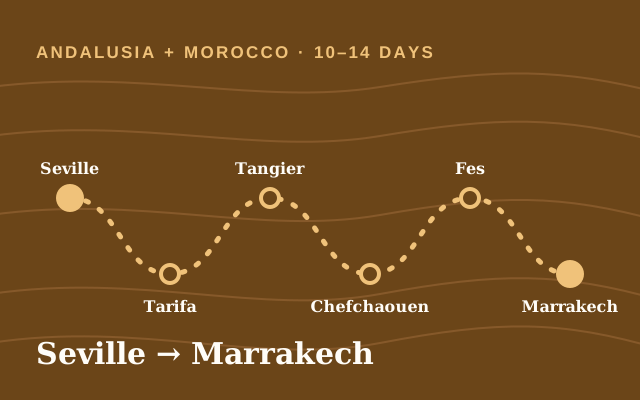 Andalusia + Morocco · 10–14 daysSpain to Morocco by ferry: planning mobile data across two continents
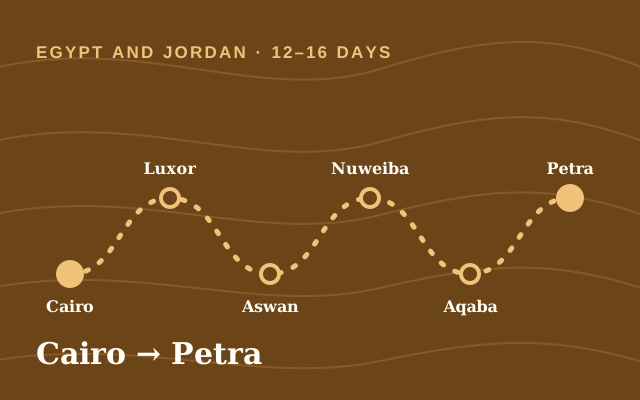 Egypt and Jordan · 12–16 daysEgypt and Jordan in one trip: Cairo, Luxor, the Red Sea crossing, Petra and Wadi Rum
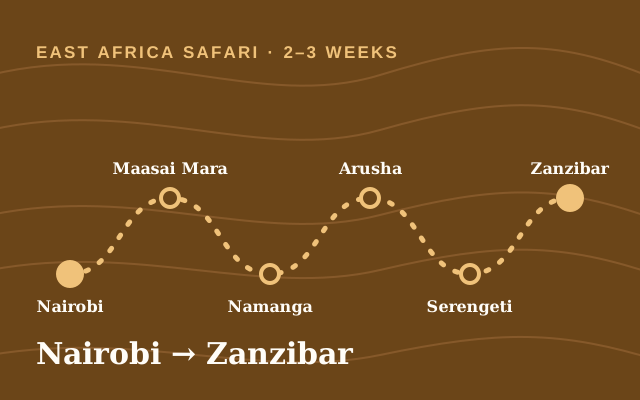 East Africa safari · 2–3 weeksKenya and Tanzania with Zanzibar: a connection plan for the Mara, the Serengeti and the coastRoute hubMiddle East and Africa routes: stopovers, pilgrimages and ferry crossings