Arrival day in Tokyo: from Narita or Haneda to your hotel with data working
Two airports, several ways into the city and a station system that rewards a working phone. What to do between the aircraft door and the hotel lobby.
Install your Japan eSIM at home, then switch it on as soon as you land at Narita or Haneda: turn the travel line on, set it for mobile data and allow data roaming on it. Check a map loads before you leave the arrivals hall. Save your hotel address and the route into the city offline in case anything fails.
Narita or Haneda: does it change the plan?
Not for the eSIM, only for the journey. Both airports are in Japan, so the same Japan plan works at either. What changes is how far you are from the city. Haneda sits on Tokyo Bay, close to central Tokyo; Narita is in Chiba Prefecture, much farther out. From Narita, the journey into the city is longer, which makes it more important that your phone works before you board the train or bus.
Coverage check: each stop against the country lists TripoSIM publishes for its regional plans
| Country on the route | Country plan | Asia plan 14 listed | Global plan 129 listed |
|---|---|---|---|
| Japan | Yes ↗ | Listed | Listed |
What should be done before you fly?
Everything that needs a stable connection. Arrival day is the wrong day to install an eSIM: you need an internet connection to download it, and airport Wi-Fi, though available at both Tokyo airports, is not the place to discover your phone is carrier-locked.
- Install the Japan plan on home Wi-Fi a few days before departure. Label it "Japan" and switch the line off.
- Save offline: your hotel's address in Japanese and English, a screenshot of the route from the airport, and an offline map of the area around the hotel.
- Set up apps: maps, a train route planner, and any ride-hailing or taxi app you plan to use. Do any SMS verification while still at home.
- Decide how you will pay for transport: an IC card such as Suica or PASMO, the mobile version on a supported phone, or tickets from the machines.
What do you do between the aircraft door and immigration?
Switch airplane mode off once you are allowed to use phones. Then, in this order:
- Turn the Japan line on. On iPhone: Settings, Mobile (or Cellular), choose the Japan line and switch it on. On Android: Settings, Network and internet, SIMs.
- Set it as the mobile data line and switch on data roaming for that line only.
- Leave your home line on for calls and SMS, with its data roaming off, so bank codes still arrive without home-carrier data charges.
- Wait a minute. The phone may take a short while to register on a Japanese network. If nothing happens, toggle airplane mode on and off.
Our two-line arrival guide has the full settings for both platforms.
How do you get into the city, and what needs data?
| Airport | Common ways in | What your phone does |
|---|---|---|
| Narita | Narita Express to central stations, Keisei Skyliner to Ueno and Nippori, airport limousine buses, cheaper buses | Route planner for the change at the city station; hotel map |
| Haneda | Tokyo Monorail, Keikyu Line, airport buses, taxis | Route planner for the transfer; hotel map |
Exact services, times and fares change, so check the airport's own access pages before you travel. The phone's job on this leg is to tell you which platform and which exit: Tokyo's large stations have many exits, and the right one can save a long walk with luggage.
What should you check before leaving the arrivals hall?
- A map loads and shows your location.
- Your route planner shows the next train or bus.
- Messages arrive over data (send one to a travel companion).
- Your home line still shows signal for SMS.
If any of these fail, deal with it now, while you have airport Wi-Fi and staff nearby. Common fixes: data roaming not switched on for the travel line; the wrong line selected for mobile data; the travel line switched off. If the eSIM itself will not connect, contact the seller's support over the airport Wi-Fi.
A sample arrival-day timeline
- BeforeT−3Install at homeJapan plan installed, labelled, switched off. Hotel address and route saved offline.
- Land+0At the gateAirplane mode off; Japan line on and set for data; data roaming on for that line.
- Land+30mImmigration and customsKeep the phone charged; immigration forms or QR codes may be requested digitally depending on the current system.
- Land+1hArrivals hallRun the checks: map, route planner, messages. Fix anything here.
- Land+2hInto the cityFollow the route planner to the right station exit.
- Land+3hHotelConnect to hotel Wi-Fi for big downloads; keep mobile data on for maps when you go out.
What if you land late at night?
Late arrivals change the journey more than the phone plan. Some rail services into the city stop running around midnight, and the options narrow to late buses, taxis or a hotel near the airport. Check the last trains and buses for your arrival time before you fly, and save a plan B offline: the address of an airport hotel, or the taxi rank's location. A working phone helps you find the last connection; it cannot create one that has stopped running.
Which arrival-day mistakes are most common in Tokyo?
| Mistake | What happens | What to do instead |
|---|---|---|
| Installing the eSIM at the airport | Slow downloads, a locked phone discovered too late | Install at home; only switch on at the airport |
| Data roaming not on for the travel line | The line shows signal but nothing loads | Allow data roaming on the travel line |
| Home line's data roaming left on | Home-carrier data charges if the phone picks the wrong line | Off for the whole trip |
| Hotel address only in an email | Nothing to show a taxi driver if data fails | Saved offline in Japanese and English |
A checklist for the night before you fly
- Japan plan installed, labelled and switched off.
- Route from your airport to the hotel saved offline, with a second option.
- Hotel address in Japanese and English, saved offline.
- Transport card or rail pass details saved, if you have them.
- Home line's data roaming decided: off, unless your home plan includes Japan.
Questions travellers ask
Should I install my Japan eSIM at the airport?
It is better to install at home on reliable Wi-Fi and only switch it on at the airport. Both Tokyo airports have Wi-Fi as a fallback.
Does the same eSIM work at Narita and Haneda?
Yes. Both airports are in Japan, so a Japan plan works at either.
Will my plan start when I install it?
TripoSIM says its plans start when the eSIM first connects at the destination. Keep the line off until you land.
Can I add a Suica card to my phone?
On supported phones, IC cards such as Suica or PASMO can be added to the phone's wallet. Check compatibility before you travel.
Sources and notes
Device steps and roaming rules are from the official pages below. Statements about TripoSIM's plans come from TripoSIM's public pages, checked on 7 November 2026; the seller's checkout is the final word on countries, validity and price. We do not claim field tests or network measurements in this article.
- Narita International Airport: access
- Haneda Airport: access
- Japan National Tourism Organization
- Apple: use eSIM while travelling internationally
- TripoSIM: how it works
Filed under: Arrival & departure Asia & Pacific
Plan the rest of the trip
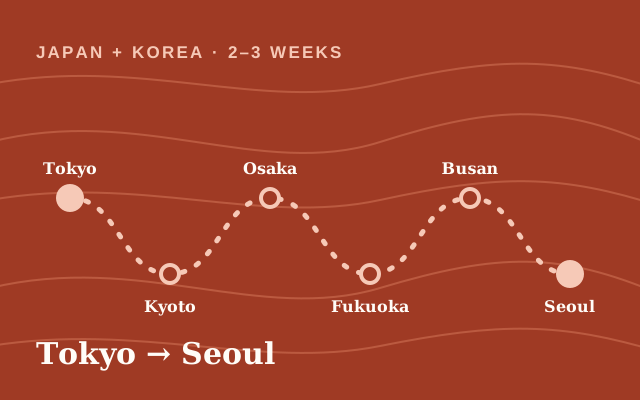 Japan + Korea · 2–3 weeksJapan and South Korea in one trip: one eSIM or two?GuideHow to Choose an eSIM for a 10-Day Japan Trip
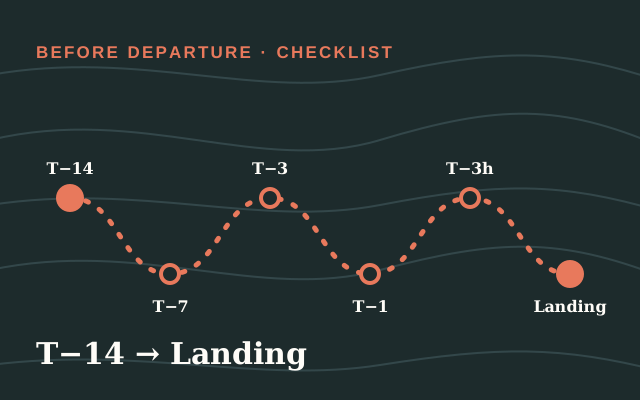 Before departure · checklistTrip countdown: what to set up 14 days, 3 days and 3 hours before you flyRoute hubArrival day and departure: set up before you fly, connect when you land