
Arrival day in Bangkok: Suvarnabhumi or Don Mueang to the city, connected
Two airports, a rail link from each, ride-hailing at the kerb and, often, an onward flight to the islands. What to set up before landing and what to check before you step outside.
Install your Thailand eSIM at home and switch it on after landing at Suvarnabhumi or Don Mueang: travel line on, set for data, data roaming on for that line only. Check maps and your ride-hailing app work before leaving arrivals. If you connect to a domestic flight from the other airport, save the transfer plan offline.
Which airport are you landing at, and why does it matter?
Bangkok has two international airports. Suvarnabhumi (BKK), to the east of the city, handles most long-haul flights. Don Mueang (DMK), to the north, is the base for many low-cost and regional flights. Your eSIM works the same at both: they are in Thailand, so a Thailand plan covers either. What matters is the journey afterwards, and especially whether you are connecting to a domestic flight from the other airport. The two are far apart, and moving between them takes planning, not improvisation.
Coverage check: each stop against the country lists TripoSIM publishes for its regional plans
| Country on the route | Country plan | Asia plan 14 listed | Global plan 129 listed |
|---|---|---|---|
| Thailand | Yes ↗ | Listed | Listed |
If Bangkok is the first stop on a longer route through Laos, Cambodia, Malaysia or Indonesia, look at the coverage table in our Mekong loop before buying: a regional plan installed now saves buying again later.
What should be ready before you land?
- Thailand plan installed at home, labelled and switched off.
- Ride-hailing app set up, with payment added and any SMS verification done at home. Grab and Bolt both operate in Bangkok.
- Hotel address saved offline in English and, if the hotel provides it, in Thai, so you can show it to a driver.
- Transfer plan saved if you have an onward flight from the other airport, with the time you need to allow.
- Arrival paperwork ready in whatever form Thailand currently requires for your nationality; check the official channels before you fly.
How do you switch on after landing?
Once phones are allowed, switch airplane mode off. Turn the Thailand line on, set it as the mobile data line, and allow data roaming on that line. Keep your home line on for calls and SMS, with its data roaming off. Give the phone a minute to register; if nothing connects, toggle airplane mode. Your home number stays your number for verification codes, because a data-only eSIM has none of its own.
How do you get into the city?
| Airport | Rail | By car | What the phone does |
|---|---|---|---|
| Suvarnabhumi | Airport Rail Link to the city, connecting with the BTS Skytrain and MRT | Public taxi queue, ride-hailing pick-up points | Route planner for the change; ride-hailing booking |
| Don Mueang | SRT Red Line to Krung Thep Aphiwat Central Terminal, connecting with the MRT | Public taxi queue, ride-hailing pick-up points | Route planner; ride-hailing booking |
Pick-up points for ride-hailing are signposted at both airports and can change; follow the app's instructions and the airport's signs. Traffic in Bangkok can be heavy at peak times, which is one reason the rail links are popular with travellers carrying light luggage.
What should you check before leaving arrivals?
- A map loads and shows your location correctly.
- The ride-hailing app can see your location and show cars.
- A message to your travel companion goes through over data.
- Your home line shows signal for SMS.
If something fails, fix it inside the terminal, where there is Wi-Fi and help. Most problems are a settings slip: data roaming not on for the travel line, or the wrong line set for mobile data.
What if you fly straight on to the islands?
Many travellers land at Suvarnabhumi and fly on to Phuket, Krabi, Koh Samui or Chiang Mai. Keep the Thailand line on throughout; it covers the domestic airports and the islands. If your connection leaves from Don Mueang instead, allow plenty of time for the transfer between airports and save the route offline. On the islands, coverage near towns and beaches is generally good, while boat trips and remote coves can be quieter; our Thailand islands planner covers those days.
A sample arrival-day timeline
- BeforeT−3Install at homeThailand plan installed and switched off; ride-hailing app ready; hotel address saved.
- Land+0At the gateAirplane mode off; Thailand line on and set for data; data roaming on for that line.
- Land+45mImmigrationArrival paperwork ready; keep the phone charged.
- Land+1h30Arrivals hallChecks: map, ride-hailing, messages. Fix anything here.
- Land+2hInto the cityRail link or ride-hailing to the hotel.
- Land+3hHotelHotel Wi-Fi for downloads; mobile data for maps when you go out.
What if you land in the middle of the night?
Many long-haul flights reach Bangkok late at night or in the early morning. The rail links do not run all night, so late arrivals usually take a taxi or a ride-hailing car. Set up and test the ride-hailing app in the arrivals hall, or use the airport's official public taxi queue, and keep the hotel address ready to show the driver. If the hotel has a late check-in process, save its instructions offline before you fly.
Which arrival-day mistakes are most common in Bangkok?
| Mistake | What happens | What to do instead |
|---|---|---|
| Ride-hailing app set up only on arrival | An SMS code that goes to a number you cannot reach | Set it up at home, with your home number |
| Assuming both airports are close | A missed domestic connection | Check which airport each flight uses; allow time |
| Travel line not set for data | The phone keeps trying the home line | Choose the Thailand line for mobile data |
| Validity counted from purchase | Confusion about when the plan ends | TripoSIM plans start at first connection at the destination |
A checklist for the night before you fly
- Thailand plan installed, labelled and switched off.
- Which airport you land at, and which one any onward flight uses.
- Route to the hotel saved offline, with the rail link and a taxi as options.
- Hotel address in Thai and English saved offline.
- Ride-hailing app set up with your home number.
Questions travellers ask
Does the same eSIM work at Suvarnabhumi and Don Mueang?
Yes. Both are in Thailand, so a Thailand plan works at either airport.
Should I buy a SIM at the airport instead?
You can, but an eSIM installed at home is already working when you land, so you skip the queue and keep your home SIM in the phone.
Can I use Grab in Bangkok with a travel eSIM?
Yes, over the eSIM's data. Set up the app and any SMS verification at home, because the codes go to your home number.
Does a Thailand eSIM cover the islands?
Yes, Phuket, Krabi, Koh Samui and the other islands are in Thailand. Expect quieter coverage on boats and in remote coves.
Sources and notes
Device steps and roaming rules are from the official pages below. Statements about TripoSIM's plans come from TripoSIM's public pages, checked on 7 November 2026; the seller's checkout is the final word on countries, validity and price. We do not claim field tests or network measurements in this article.
- Suvarnabhumi Airport (Airports of Thailand)
- Don Mueang International Airport (Airports of Thailand)
- Apple: use eSIM while travelling internationally
- Google Pixel Help: use two SIMs
- TripoSIM: how it works
Filed under: Arrival & departure Asia & Pacific
Plan the rest of the trip
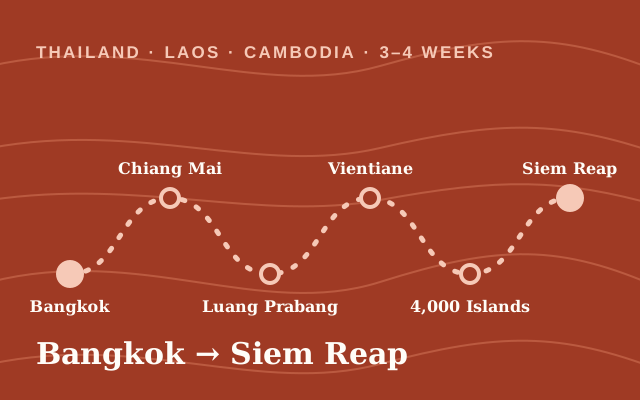 Thailand · Laos · Cambodia · 3–4 weeksThe Mekong loop: Thailand, Laos and Cambodia by slow boat, train and bus
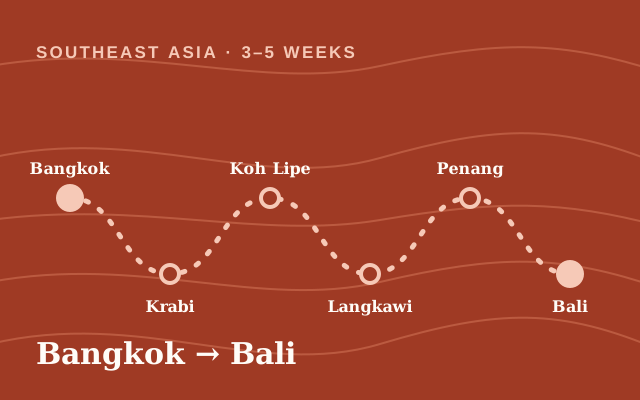 Southeast Asia · 3–5 weeksSoutheast Asia island-hopping: an eSIM route plan for Thailand, Malaysia, Indonesia and the PhilippinesGuideThailand Island-Hopping: How to Plan Mobile DataRoute hubArrival day and departure: set up before you fly, connect when you land